
Export Instagram research into spreadsheet-ready data.
Trendlyst helps you move from a sorted Instagram grid to structured data you can analyze, share, and reuse in reports.
Free core extension · No Instagram password shared
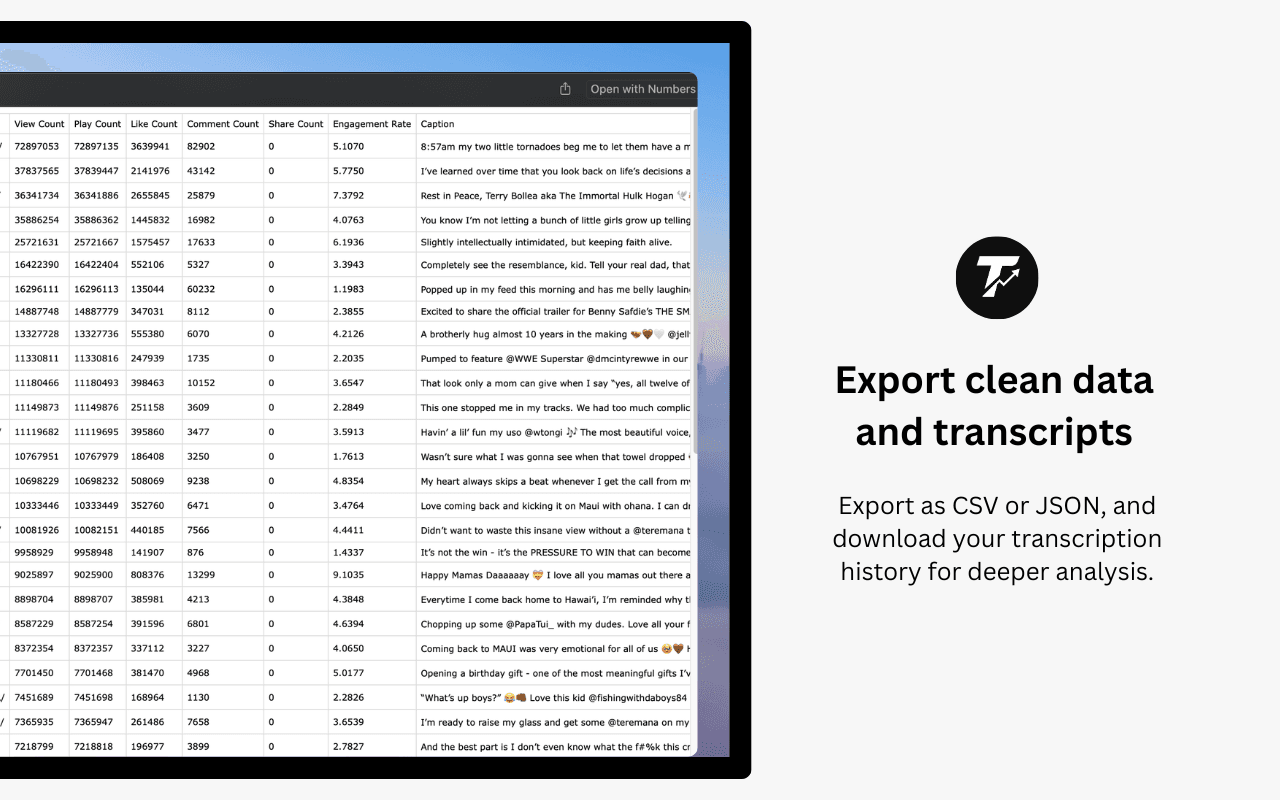
- CSV export
- Spreadsheet copy
- Hashtag research
- Creator reports
Export the content you just sorted
CSV export is most useful after you rank a profile by views, likes, comments, engagement rate, date, or custom formulas.
- Export performance metrics for selected sorted results.
- Keep captions, hashtags, dates, and profile context available where captured.
- Use spreadsheet-friendly copy formats for quick reporting.
Use exports for repeatable analysis
Structured exports help teams review creator performance without relying on screenshots or manual notes.
- Build influencer research sheets.
- Create campaign benchmarks from public profile data.
- Archive top-performing examples for content planning.
Put it to work
- Create a spreadsheet of top posts from a creator profile.
- Export Reels metrics after sorting by views.
- Share research with a client or teammate.
- Compare exported datasets over time.
Build a complete workflow with our Instagram research features, or compare Instagram research tools before choosing.
Common questions
What formats can Trendlyst export?
Trendlyst supports CSV, JSON, and spreadsheet-friendly copy workflows. Some account features can also connect to Google Sheets.
Can I export captions and hashtags?
Trendlyst includes available metadata such as captions, hashtags, dates, and metrics when that information is captured from supported pages.
Is exported data uploaded to Trendlyst servers?
Core sorting and export workflows run through the extension. Server-backed features such as Google Sheets export, account status, transcription, translation, and billing use Trendlyst services when selected.
Make your next scroll a little more useful.
Start with a profile. Find the posts worth studying. Bring your own point of view.