
Sort Instagram content by the metrics that matter.
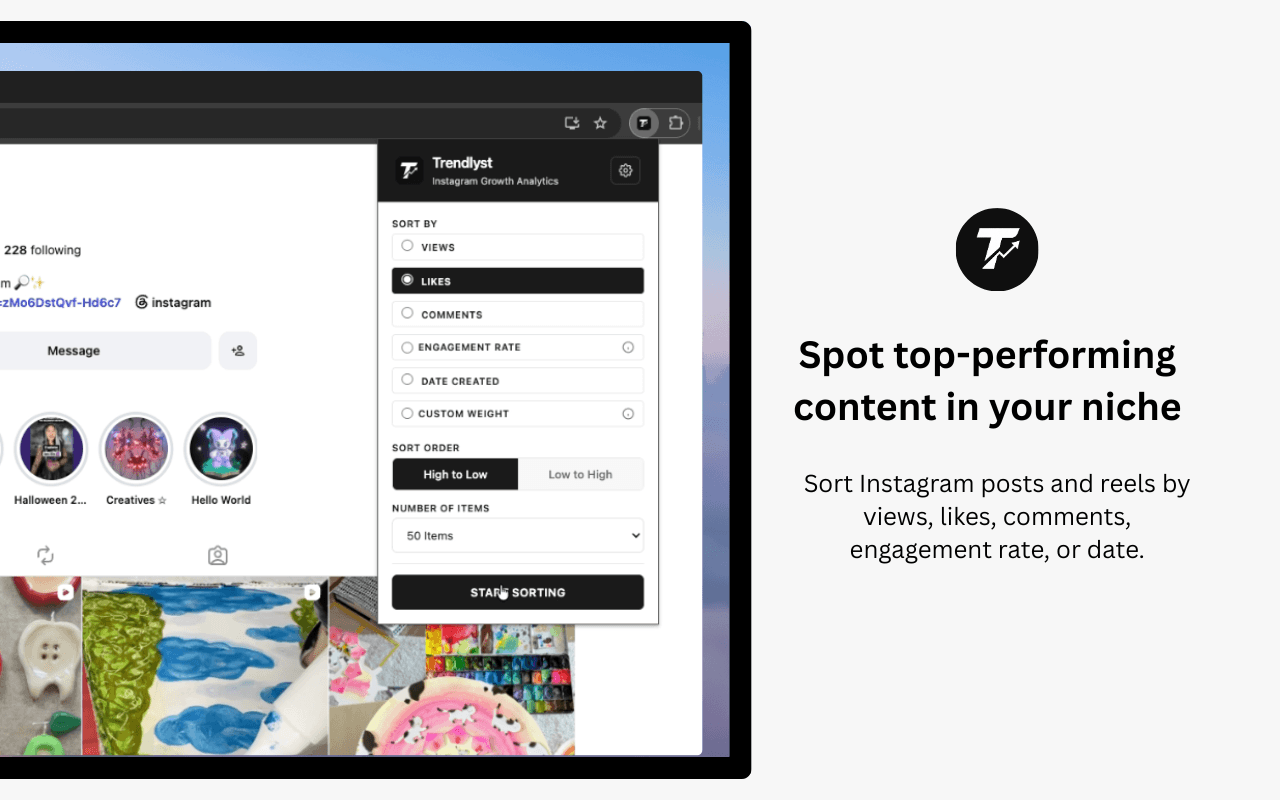
Trendlyst turns supported Instagram pages into a ranked research workspace. Sort posts, Reels, Explore, and Saved content by performance instead of manually opening every item.
Free core extension · No Instagram password shared
- Rank posts and Reels
- Sort by engagement
- Review Explore and Saved
- Export sorted results
Rank content by real performance signals
Use Trendlyst when you need to find the strongest content on a profile, not just scroll the newest grid items.
- Sort by views, likes, comments, engagement rate, date, or custom formulas.
- Choose high-to-low or low-to-high ordering for quick audits.
- Analyze profiles, Reels tabs, Explore, and Saved workflows where supported.
Move from sorted grid to deeper research
Sorting is the first step. Trendlyst gives you analytics, exports, downloads, and transcription workflows after the winners are visible.
- Open analytics dashboards for performance patterns.
- Export sorted data for spreadsheets and reporting.
- Download or transcribe selected videos when you need source material.
Put it to work
- Find a creator's highest-performing posts before planning collaborations.
- Audit your own Instagram content by engagement rate or date.
- Turn a long Reels grid into a prioritized research list.
- Compare content formats before building a new campaign.
Build a complete workflow with our Instagram research features, or compare Instagram research tools before choosing.
Common questions
Can Trendlyst sort Instagram posts and Reels?
Yes. Trendlyst supports sorting on Instagram profiles and Reels pages, with additional support for Explore and Saved workflows where available.
What metrics can I sort by?
You can sort by views, likes, comments, engagement rate, date, and custom weighted formulas depending on the page and data Instagram exposes.
Does Trendlyst need my Instagram password?
No. Trendlyst works through your browser session on supported Instagram pages and does not ask for your Instagram password.
Make your next scroll a little more useful.
Start with a profile. Find the posts worth studying. Bring your own point of view.