
Start with a question, then choose a score
The most-viewed post is not always the most useful reference. You might be studying conversation, identifying posts that invite questions, or looking for examples with a stronger balance of likes and comments. A custom score lets you make that preference explicit instead of switching repeatedly between separate rankings.
Trendlyst Pro lets you create and save formulas for supported feed or Reels results. A formula combines available metrics into a value that orders the collected content. It changes the order of your research results; it does not change the Instagram feed algorithm or increase a post’s distribution.
Write down the question before choosing the numbers. “Which posts prompted discussion?” is a better starting point than adding every metric to one expression. A simple score is easier to explain, check, and reuse. If a standard likes or comments ranking already answers the question, keep using it.
An example: give comments more weight
For a discussion-oriented shortlist, try the illustrative formula Likes + Comments * 5. In this example, each comment contributes five points and each like contributes one point. The weight is a research choice, not a recommended industry benchmark or a measure of business value.
A hypothetical post with 100 likes and 20 comments scores 200. Another with 170 likes and 2 comments scores 180. The first post moves above the second because you deliberately gave discussion more influence. Those numbers are examples for understanding the calculation, not Trendlyst customer results.
Open the shortlisted posts and read the discussion. Comments might be useful questions, giveaway entries, repeated replies, or criticism. A high score helps you decide what to inspect first; the content itself tells you whether the example belongs in your creative brief.
Use the metrics available for the content type
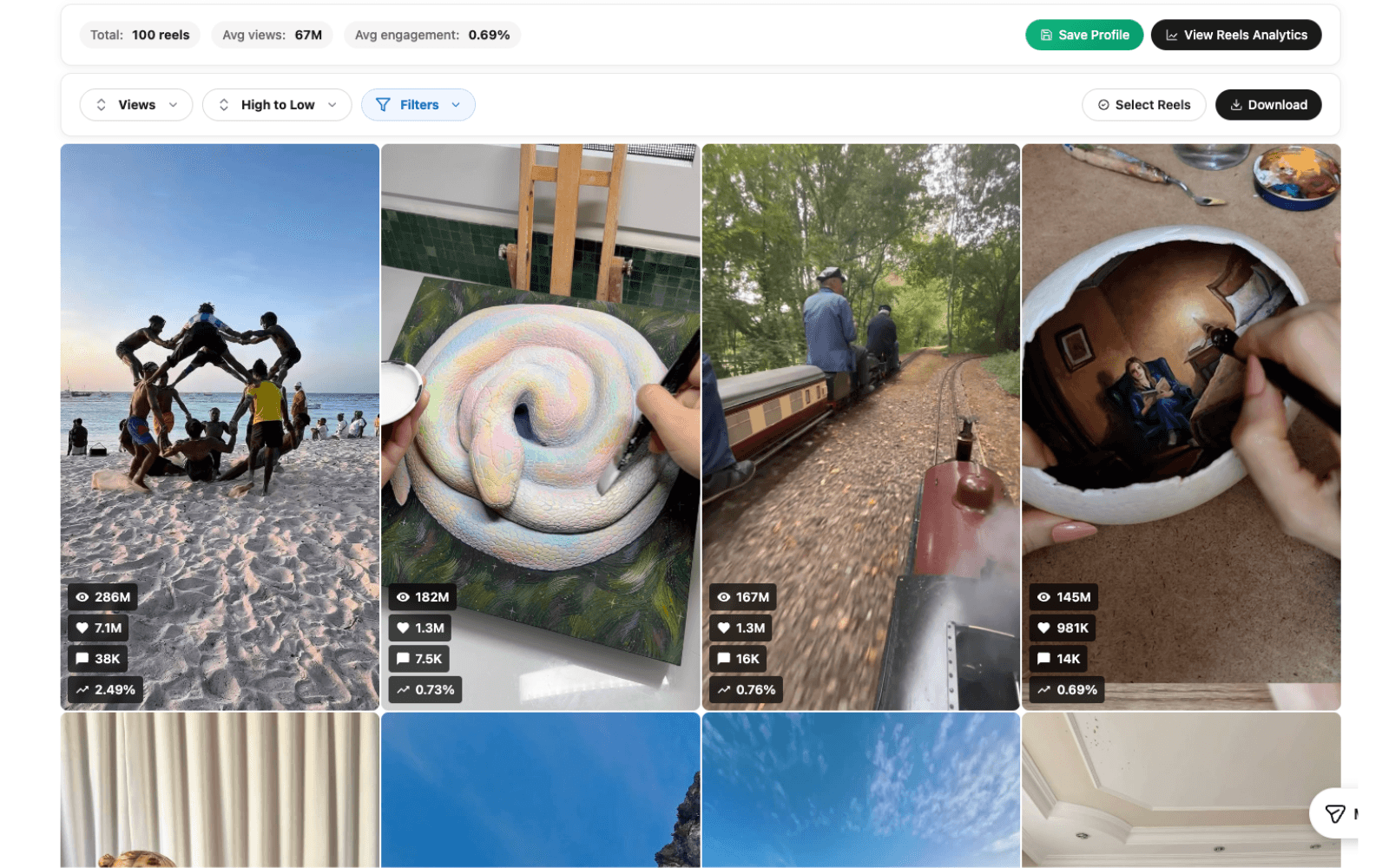
Feed formulas support likes, comments, and available profile metrics such as followers, following, post count, and Reel count. Reels formulas also support views. Choose the correct content type when creating a formula so that the expression matches the information the extension can use.
The formula editor uses metric names such as Likes, Comments, Views, and Followers. Start with an expression you can calculate by hand, check the preview, and save it with a name that describes the purpose. A name such as “Discussion shortlist” is easier to understand later than “Formula 4.”
Ratios need extra care. A formula like (Likes + Comments) / Views * 100 expresses interactions relative to views only when views are available and greater than zero. Do not treat missing or zero denominators as a meaningful engagement rate. Check the input data and choose a simpler score when necessary.
Build a repeatable ranking workflow
Collect a relevant set of posts or Reels, inspect the default ranking, and then apply your saved custom formula. Compare the top examples in both views. If the same posts remain at the top, the new score may not be adding useful information. If the order changes, check whether the change reflects your actual research goal.
Keep the time period and media type reasonably consistent. Older content has had more time to accumulate activity. Different formats may invite different interactions. A formula cannot fix an unfair sample, so select the sample carefully before interpreting the results.
Preserve a note of the expression, collection date, and selection criteria when you export your research. A teammate should be able to tell why one post ranked above another. If you change a weight between reviews, record that change rather than treating the two rankings as directly comparable.
Understand what a custom score can tell you
A score is an ordering rule. It is not an Instagram ranking signal, an audience-quality measurement, or a prediction that an idea will work for you. The strongest use is narrowing a large set of references into a manageable group for close reading and viewing.
Combining raw views with raw comments can make the smaller metric almost irrelevant. Before adding them, inspect their typical scale. If views are much larger than comments, a plain sum may behave almost exactly like sorting by views. Choose a formula whose behavior you can explain with a few sample posts.
Normalizing by followers can help frame a different question, but follower count alone does not explain who saw a post. Views are not necessarily unique viewers, and comments are not unique customers. Use the score alongside the topic, format, audience context, and the actual response to the content.
Turn the shortlist into a useful creative decision
After ranking, choose a small set of examples and identify the creative element you want to study. Look at opening shots, how quickly the premise becomes clear, what evidence appears on screen, and how the ending invites a response. Keep your interpretation separate from the measured numbers.
Compare the shortlist with a few lower-ranked posts in the same sample. This can help you avoid attributing success to an element that appears everywhere. The goal is a testable creative observation, such as whether a direct demonstration explains a benefit more clearly than a long introduction.
Use your observations to develop an original execution suited to your audience. A custom score makes your research more deliberate, but it does not replace editorial judgment. Revisit the formula only when the question changes or the ranking repeatedly selects examples that are not useful.
Connect the next step
Explore all Instagram research features to build your workflow. Continue with Instagram sorter. Or explore Engagement rate calculator. Or explore An Instagram Content Library for Your Ideas. Or explore Trendlyst vs ViralSort.
Common questions
Do I need Pro for custom formulas?
Yes. Core metric sorting is available in the free extension. Creating and using custom weight formulas is a Pro feature.
Will a formula change my Instagram feed?
It ranks the content collected by Trendlyst. It does not change Instagram’s recommendations or distribution.
Can I reuse a formula?
Yes. Save formulas and reuse them across sessions for the supported content type. Recheck the metric inputs when switching between feed posts and Reels.